
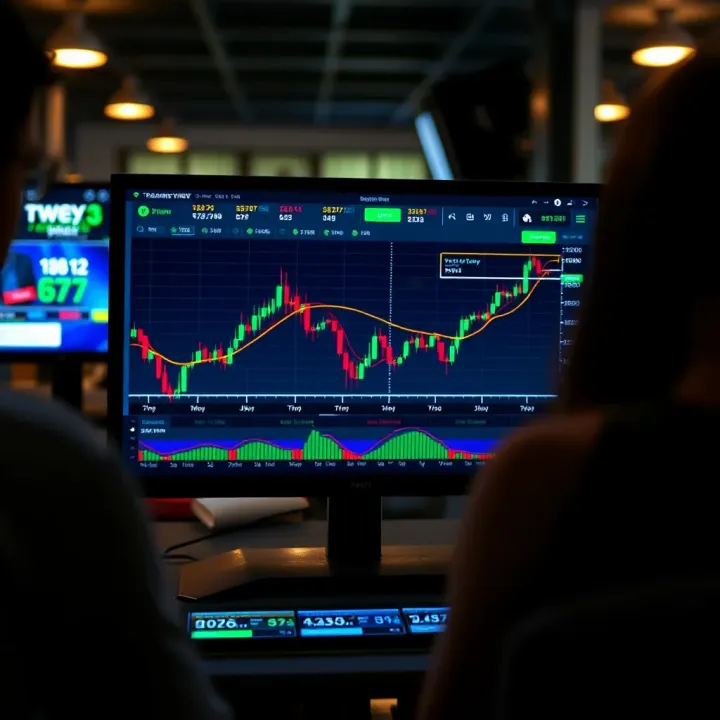
TradingView Guide for Traders in Pakistan
📊 Discover how TradingView.com boosts trading in Pakistan with powerful charts, broker links, social tips, subscription plans, and security advice!
Edited By
Isabella Reed
Trading in today's fast-moving markets demands tools that are both powerful and easy to use. For traders in Pakistan, understanding platforms like TradingView can make a real difference in how you analyze the market and make decisions.
TradingView has become a go-to solution for many because it blends a wide range of features — from detailed charts to social trading communities — all accessible through a straightforward interface. Whether you're just starting out or you're a seasoned pro, knowing how to tap into TradingView's capabilities can help boost your trading game.
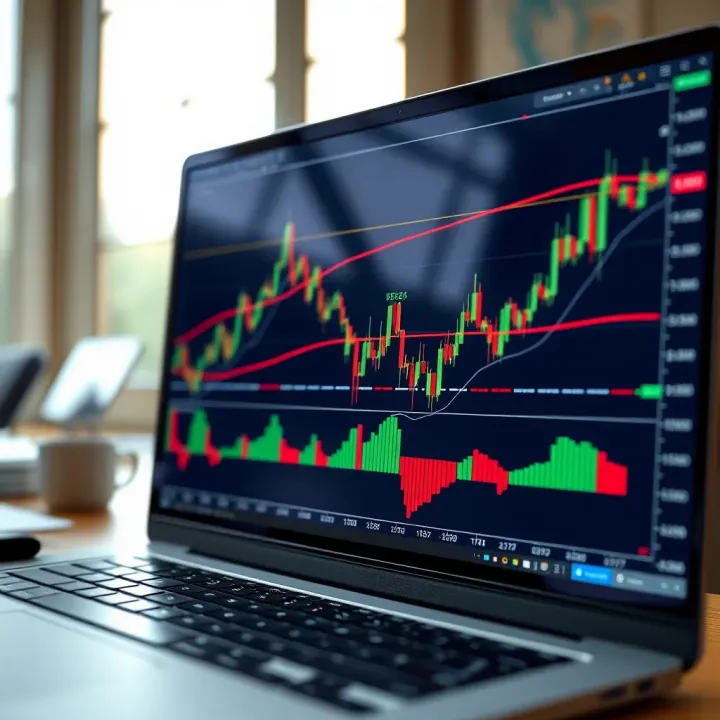
This guide breaks down the essentials: what makes TradingView tick, which features are most useful, and how you can apply it specifically within the Pakistani trading landscape. We'll highlight practical tips on setting up your charts, using technical indicators, and even connecting with other traders without getting lost in technical jargon.
"A tool is only as good as your ability to use it. This article aims to sharpen that ability, helping you get the most from TradingView right here in Pakistan."
Expect clear explanations, real-world examples, and actionable advice that bring TradingView’s potential out of theory and into your daily trading practice.
Getting started with TradingView is an essential step for traders in Pakistan who want to keep up with the fast-moving financial markets. This platform isn't just another charting tool; it’s a combination of powerful analysis features and a community buzzing with real-time insights. For local traders, understanding TradingView can turn a confusing mess of charts and data into clear, timely information.
Imagine you’re tracking the Pakistan Stock Exchange (PSX), looking for patterns that hint at profitable moves. TradingView makes this simpler by offering detailed charts and tools that don’t require you to be a tech wizard. Even if the market is volatile or trading hours are short, having access to a user-friendly dashboard can keep you one step ahead.
TradingView is an online platform that provides advanced charting, real-time market data, and social networking for traders across the globe. Unlike traditional software that demands installation, TradingView works right in your web browser, which is handy if you switch devices often. It supports multiple markets including stocks, forex, cryptocurrencies, and commodities.
For example, a trader in Lahore can quickly pull up forex charts during prepared market hours without flipping through multiple software windows. From customizing indicators to back-testing strategies, TradingView streamlines tasks that would otherwise take longer on other platforms.
Founded in 2011 by a group of software engineers and traders, TradingView set out to make market analysis accessible for everyone. Over the years, it evolved from a simple charting service into a multifunctional hub where traders interact, share ideas, and collaborate. The platform continuously updates with new features, such as Pine Script—a scripting language for custom indicators.
Its development is relevant because what started as a small project quickly grew into a community-focused platform that keeps traders connected worldwide, including those in Pakistan who rely on accurate, up-to-date data.
Today, TradingView boasts over 30 million active users worldwide. This wide user base covers everyone from weekend hobbyists to professional traders and institutional investors. The platform’s reach means traders can tap into global market sentiment, making it easier to spot trends or setups that simply aren’t visible from one market alone.
For Pakistani traders looking to expand beyond the PSX by monitoring forex pairs like USD/PKR or cryptocurrencies like Bitcoin, TradingView acts as a one-stop hub connecting diverse markets under a single roof.
One of TradingView's biggest draws is its clean, intuitive interface. Even if you’re not tech-savvy, you won't feel lost fiddling around with charts or indicators. Features like drag-and-drop, easy search bars for symbols, and quick access to your favorite tools make every session feel productive.
For instance, when following a volatile instrument such as the KSE-100 Index, you don’t want to waste time navigating a complicated menu—TradingView cuts down that friction.
Whether you’re at your desktop in Karachi or checking charts on the move via your smartphone in Islamabad, TradingView adjusts seamlessly. It synchronizes your settings across devices, so whether you tweak an indicator at home or set an alert on the go, your workspace stays consistent.
This flexibility is ideal for traders in Pakistan who might deal with interruptions or prefer to monitor markets outside regular work hours.
Beyond tools, TradingView shines because of its active community. Traders share chart setups, trade ideas, and market commentary daily. You can follow seasoned analysts or local traders who understand Pakistan’s market nuances.
For example, if there’s insider chatter about a company's upcoming earnings on the PSX, a community post might alert you faster than official news—it’s like having a crowd-sourced research team at your fingertips.
TradingView isn’t just software; it's a community where knowledge flows freely, and that collective intelligence often leads to smarter trading decisions.
Overall, the introduction to TradingView sets the stage to appreciate why this platform is a trusted ally for traders in Pakistan, blending technical power with a straightforward approach and community support. This foundation is essential before diving into more advanced tools and market-specific strategies later in the guide.
Getting a grip on the TradingView interface and its basic features is like learning the controls of a new car before hitting the highway. Without this foundation, even the best tools lose their punch. For traders in Pakistan, understanding these elements can make the difference between missing an opportunity and capitalizing on market movements.
Main menu and layout: When you first log into TradingView, the dashboard lays out everything in front of you—charts, watchlists, news feeds, and more. The main menu sits on the left, offering quick access to charts, ideas, and alerts. What makes TradingView handy is the clean layout; you won’t feel overwhelmed by clutter. For example, the watchlist lets you pin Pakistani stocks like PSX-listed companies alongside global ones like Apple or Tesla, so you monitor them all in one place.
Customizing workspace: One size never fits all in trading. That’s why TradingView lets you tweak your workspace to suit your style. Whether you prefer multiple charts side-by-side or a single large chart with a compact watchlist, customization is just a click away. Toolbars and panels can be resized, hidden, or moved around. This ensures the biggest screen real estate goes to what matters most in your strategy—whether that’s candlestick patterns or volume indicators.
Types of charts available: TradingView offers several chart types—candlestick, line, bar, Heikin Ashi, Renko, and more. Candlestick charts are the mainstay for most Pakistani traders, giving clear signals of price action. But say you want to filter out market noise during volatile hours; Renko charts, which focus on price movement rather than time, can serve that purpose well.
How to add and remove indicators: Adding indicators works like adding toppings on a pizza—pick what suits your taste. To add an indicator, click the 'Indicators' button on the top toolbar, search for what you need without fuss. Common choices include RSI for momentum or Bollinger Bands for volatility. Removing them is just as simple; click the x beside the indicator's name in the chart legend, clearing the view instantly.
Setting up timeframes: Timeframes play a pivotal role in deciding your trade pace. Intraday traders in Karachi can switch between 1-minute or 5-minute charts to catch quick price swings. Longer-term investors looking at PSX trends might stick to daily or weekly charts. The timeframe selector is right at the top, letting you jump between them without breaking stride.
Mastering these basics means you spend less time fumbling and more time trading effectively. Think of the TradingView dashboard and charts as your trading cockpit—know your instruments, and you're set to navigate the market skies with confidence.
Technical analysis is the bread and butter for most traders, especially those in dynamic markets like Pakistan’s. On TradingView, the arsenal of tools available is tailored to give traders a solid edge. These tools let you slice through noise, identify patterns, and plan trades with more confidence. Without delving too deep into confusing jargon, the platform simplifies complex analysis, making it accessible whether you're staring at the bustling Karachi Stock Exchange or tracking forex pairs.
The crux here is precision and flexibility. For instance, a trader might notice a sudden jam-packed kronky of price movements. Using TradingView's technical tools, they could quickly spot if this is a blip caused by support levels holding firm or whether there's a real trend about to emerge. We’ll break down those tools, focusing on what matters most.
Popular built-in indicators on TradingView cover the staples and some niche gems. Think Relative Strength Index (RSI), Moving Averages, MACD, and Bollinger Bands. These are your go-to for spotting momentum shifts, potential reversals, and volatility spikes. For example, an RSI that swings below 30 might hint that a stock like Pakistan Petroleum is oversold, potentially ripe for a bounce.
What’s great here is the intuitive set-up. Add an indicator with a few clicks, personalize its parameters to suit your trading tempo, and start interpreting signals immediately. Overlays like moving averages ride right on the price chart, helping track trends more visually.
Applying custom indicators steps up your game. TradingView allows you to tap into Pine Script, the platform’s scripting language, to build or import tailored indicators. Imagine you want a combo indicator that blends volume spikes with candlestick patterns specific to Pakistan Stock Exchange’s trading quirks—this is where custom scripts come handy.
To apply these, first explore the Public Library filled with scripts crafted by fellow traders. Finding one you like? Just add it to your chart and tweak as needed. If you’re feeling adventurous, experiment with writing your own script coded to your style or strategy.
Traders walk a tightrope balancing on charts, and proper drawing tools act like safety nets.
Trendlines and support/resistance levels form the backbone for many trading decisions. Drawing trendlines on TradingView couldn’t be easier—you just connect the dots where price swings peak or trough. For example, if the share price of Engro Fertilizers bounces multiple times at a particular level, you mark it as support. That helps traders anticipate whether a price might rebound again or break down.
These lines clarify where the market has shown hesitation or excitement previously, which often repeats itself. They’re especially important in a market like Pakistan’s, where local economic news or policy shifts can cause rapid price shifts. Drawn support/resistance lines become visual red flags or green lights.
Fibonacci retracements and extensions might sound complicated, but they’re just about measuring potential pullbacks and target areas after a price move. Say you spot a strong rally in HBL or United Bank Limited —you drag the Fibonacci tool from the low to the high to see where the price might pull back (retracements) or go beyond the recent high (extensions).
These levels often coincide with natural market behavior where traders decide to buy or sell, making it easier to identify smart entry and exit points without second-guessing too much.
When combined, indicators and drawing tools form a practical toolbox that can greatly improve your trading decisions. Master them, and you’re not just guessing—the market’s moves become a bit more transparent.
In essence, Technical Analysis Tools on TradingView offer diverse instruments to help traders in Pakistan spot opportunities and risks in real time, tailored to local market dynamics and global influences alike.
Tailoring your TradingView setup isn’t just about making things look pretty—it’s about boosting your efficiency and ensuring the platform works exactly how you need it. For traders in Pakistan, where market conditions can change fast, having a personalized workspace can help spot opportunities quicker and manage trades without wading through clutter.
Customizing means saving your preferred analysis tools and layout so you can jump straight into trading or research without wasting time setting things up each day. It also makes handling multiple assets smoother, especially if you’re juggling stocks from the Pakistan Stock Exchange alongside forex or crypto charts.
One of the smartest ways to speed up your workflow is by creating chart layout templates. Essentially, these are saved configurations of your chart setup—think of the type of chart, timeframe, indicators, and drawing tools you regularly use. For instance, a trader focusing on day trading PSX shares might save a template with 5-minute candlestick charts, volume overlay, and RSI indicator. This way, each morning when markets open, you just load the template instead of setting every component from scratch.
Templates help maintain consistency across your charts, which is crucial. They also make comparing multiple assets easier since all charts follow a uniform structure. In TradingView, you can create and save as many templates as you like, meaning each strategy or market type can have its own setup waiting for you.
Indicators are the bread and butter of technical analysis, and setting presets for them lets you apply complex combinations in one click. Say you prefer Bollinger Bands combined with MACD and Stochastic for your crypto trades; saving these as a preset shortcuts the entire process, so you don’t have to hunt through menus every time.
By saving indicator presets, you remove the hassle and reduce errors when switching between different market analyses. For Pakistani traders juggling both local and international instruments, this cuts down the cognitive load significantly and improves decision-making speed.
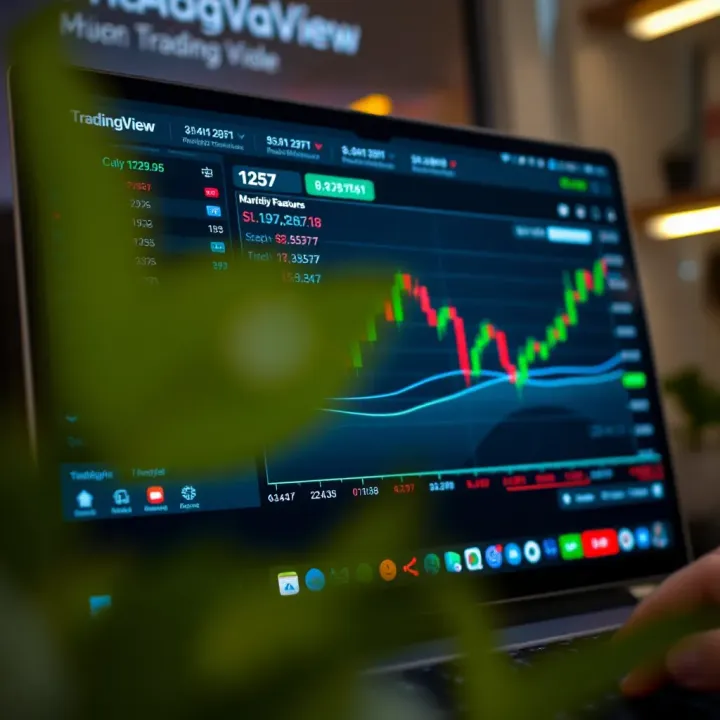
Price alerts are a game changer, especially when you’re not glued to the screen all day. On TradingView, you can set alerts to notify you when an asset hits a particular price level. For example, if you’re watching Unity Foods Ltd and want to be informed when the stock crosses the 120 PKR mark, you set an alert for that price.
This feature lets you act right on time—buy, sell, or adjust your stance—without constantly monitoring charts. For traders in Pakistan’s dynamic markets, timely alerts can mean the difference between a good trade and a missed chance.
Besides price, TradingView allows alerts based on indicator conditions. Imagine you want an alert when RSI dips below 30 indicating oversold conditions, or when MACD lines cross signaling a potential trend shift. These alerts make technical setups easier to catch right as they form.
This hands-free monitoring helps traders maintain focus on strategy rather than just watching numbers tick by. It’s especially helpful for busy traders who manage multiple securities or have other commitments.
Being bombarded with notifications can be as bad as missing them altogether. TradingView lets you fine-tune your alert notifications so you get informed how and when it suits you. You can choose to receive alerts via email, push notification on your phone, or even SMS.
For Pakistani traders often switching between devices or locations, this flexibility ensures you don’t miss important signals. It’s wise to organize your notification settings to prioritize critical alerts while muting less urgent ones, helping you stay focused without overwhelm.
Setting up personalized templates and alerts on TradingView isn’t just a time saver—it’s your ticket to smarter, faster trading decisions. It’s worth taking the time to tweak your setup and let the platform work the way you want it.
In summary, customizing your TradingView experience by saving chart templates, indicator presets, and setting smart alerts equips you with practical tools tailor-made for your trading style. These tweaks ensure you react faster, analyze better, and keep a sharp edge over the markets, especially in a fast-moving place like Pakistan’s trading scene.
TradingView is a one-stop shop for traders dealing with various markets, whether stocks, forex, or crypto. For traders in Pakistan, having this variety is a big plus since the local market isn’t the only place to keep an eye on—global trends often spill over here. This section zooms in on how TradingView’s tools adapt smoothly across different asset classes, helping traders make well-rounded decisions without jumping between platforms.
TradingView offers access to stock data from major exchanges around the world, including NYSE, NASDAQ, LSE, and more. This global coverage matters because traders in Pakistan can track multinational companies or compare global market movements alongside local stocks. For instance, if a US tech giant announces earnings, Pakistani traders can see how that impacts its share price in real time, then anticipate ripple effects in related sectors.
The platform combines real-time updates and historical data, which lets traders perform thorough technical analysis or spot trend changes early. You can watch multiple markets in one dashboard and set alerts so you don’t miss critical price moves. This all helps to stay informed and ready to act.
One of TradingView’s underrated strengths for Pakistani traders is its Pakistan Stock Exchange coverage. You can monitor top-performing stocks like Engro Corporation or Habib Bank Limited with live charts, indicators, and historical trends. It’s easy to customize watchlists to focus on your preferred sectors or stocks.
This is particularly useful since local market hours don’t necessarily sync with global markets. TradingView’s alerts and mobile app keep you looped in on price shifts or volume spikes even when you’re away from your desk. Using TradingView’s analysis tools on PSX instruments can give local traders an edge, helping them spot entry and exit points more clearly.
For forex traders in Pakistan, TradingView shines with real-time charts for currency pairs like USD/PKR, EUR/USD, and GBP/PKR. The platform pulls data from trusted sources, so you're not left waiting on outdated numbers. Knowing the latest price movements is crucial for forex because markets move fast, and opportunities can vanish in seconds.
You can apply various indicators like Moving Averages or RSI directly on these forex charts to catch momentum shifts or reversals. Plus, with multiple timeframe options, from 1-minute charts to daily ones, you can tailor your approach whether you’re scalping or swing trading.
When it comes to crypto, TradingView pulls a wide selection of coins from major exchanges like Binance, Coinbase, and Kraken. For Pakistani traders, this means you can track everything from Bitcoin and Ethereum to newer tokens all in one place.
TradingView offers specific tools catered to crypto’s volatility, such as custom scripts and alert settings sensitive to sudden price jumps or declines. The community ideas section is also bursting with live trading setups and opinions around the clock, useful for those wanting to gauge market sentiment quickly.
Whether it’s stocks, forex, or crypto, the ability to track diverse markets on TradingView lets traders in Pakistan stay sharp and make timely moves. It’s like having a full trading desk at your fingertips, anytime, anywhere.
In sum, TradingView’s support for different markets combined with flexible tools and real-time info makes it a versatile platform for Pakistan’s active trader scene. Using these features well can mean the difference between chasing the market or leading it.
Social and collaborative features on TradingView open up a world beyond just charts and numbers. For traders in Pakistan, these tools create a vibrant online environment where exchanging ideas, learning from one another, and keeping pace with market trends become much easier. This section highlights how interacting with the trading community and utilizing discussion channels can boost your trading skills and insights.
One of TradingView's standout benefits is the ability to follow expert traders from around the globe, including from Pakistan's local markets. By tracking seasoned traders' public profiles, you gain access to their real-time chart setups, trade ideas, and strategies, which often come with detailed explanations. This is especially valuable for traders still building their expertise, as it offers practical, live examples rather than textbook theories.
For instance, if a trader specializing in the Pakistan Stock Exchange shares an analysis on a popular stock like OGDC or PTCL, following their posts helps you see the reasoning behind entry and exit points. Over time, you can compare different approaches and refine your own strategy accordingly.
TradingView isn’t just about lurking and learning — it encourages users to share their own perspectives too. Posting your analysis publicly invites feedback, sparks discussions, and helps sharpen your skills through interaction. For Pakistani traders, sharing insights about local market moves or currency fluctuations can attract fellow traders with similar interests and foster a supportive network.
When you share your charts or ideas, it's useful to be clear and concise. Highlight key patterns, back up your points with data, and don't shy from acknowledging uncertainties. This openness can lead to productive conversations that improve everyone’s understanding and confidence.
TradingView hosts numerous chat rooms and groups focused on specific markets, assets, or trading styles. Within these, Pakistani traders can find groups dedicated to forex, cryptocurrencies, or the Pakistan Stock Exchange. Joining these topic groups connects you with peers who share your focus, providing quicker responses to questions and updates relevant to your trades.
These groups often have daily threads discussing ongoing setups or market events. For example, a forex group may actively chat during USD/PKR pair volatility, giving immediate reactions that are hard to find elsewhere.
While discussion channels are valuable, maintaining proper etiquette ensures they remain helpful and welcoming. This means keeping comments respectful, avoiding spam, and staying on-topic. Pakistani traders entering these spaces should remember that trading forums are professional arenas, not social hangouts.
Constructive feedback is encouraged, but personal attacks or misinformation can quickly alienate group members. If you’re unsure about an opinion, ask politely or seek clarification. Also, sharing profitable ideas generously without hoarding knowledge fosters trust and a strong community spirit.
Embracing social and collaborative tools on TradingView can transform your trading approach, providing real-world insights and peer support that aren't easily available through solo analysis alone.
By actively participating in TradingView’s community features, traders in Pakistan can not only improve their market strategies but also build meaningful connections that enrich their trading journey.
Integrations and broker connectivity are essential for traders who want to combine the analytical power of TradingView with actual trading execution. For Pakistani traders, this functionality means bridging the gap between theory and practice, enabling smoother trading workflows and quicker response to market opportunities. By connecting brokerage accounts directly to TradingView or using third-party data and tools, traders gain a more unified experience, saving time and reducing the risk of errors caused by switching between multiple platforms.
Supported Brokers
TradingView has partnered with many brokers worldwide, including internationally known names like OANDA, FXCM, and Interactive Brokers. For traders in Pakistan, finding brokers compatible with TradingView can mean using regional brokers that offer API access or working through internationally accessible platforms. While Pakistan’s local brokers such as AKD Securities or JS Global may not be directly integrated, many traders opt for brokers like Interactive Brokers, which allow global access and can link smoothly with TradingView.
The key is to pick a broker that supports the bridge through TradingView’s platform, enabling real-time trade execution and account management. This feature eliminates the clunky back-and-forth between chart analysis and order entry, offering a more connected trading experience.
Benefits of Direct Trading from the Platform
Direct trading from TradingView streamlines the entire process. Instead of switching between your chart and your trading platform, you can enter, modify, or close trades right from TradingView’s interface. This saves precious seconds that can affect profitability, especially for intraday traders.
Some practical advantages include:
Immediate order execution based on visual signals
Reduced errors since no manual order entry outside TradingView is needed
Access to trading history and portfolio tracking within the same interface
For example, a forex trader watching EUR/USD on TradingView can spot a breakout, set a limit order, and monitor the trade without leaving the platform. It’s a more seamless approach that suits fast-paced markets and active traders well.
Using External Data Feeds
TradingView supports the inclusion of external data feeds, which is a big plus for traders looking for more specialized or localized market information. Pakistani traders can benefit by connecting feeds that provide local stock info or regional economic indicators that might not be fully covered by TradingView’s base data.
For example, integrating data feeds from local financial news providers or third-party services like Refinitiv can provide fresh, relevant insights alongside standard market charts. This helps traders develop a more informed picture, especially when fundamental factors influence market movements.
Enhancing Analysis with Plugins
Plugins and add-ons extend TradingView’s default functionality. Users can import custom indicators, alert systems, or even automated trading scripts developed by third parties.
Consider a trader who wants to implement a proprietary volatility indicator not available by default on TradingView. By adding that external plugin, they can improve their entry and exit timing without leaving the platform. Similarly, add-ons that aggregate social sentiment or news sentiment offer real-time narrative context to price movements, deepening analytical potential.
Integrations don’t just add bells and whistles; they create a tailored trading setup, helping traders react quicker with all information right at their fingertips.
In short, combining broker connectivity and third-party integrations can turn TradingView from a charting hub into a central command center. For traders in Pakistan, this means better efficiency, enhanced insights, and ultimately a whole smarter way to trade in fast-moving markets.
In today’s fast-paced trading world, having a solid mobile trading app isn’t just a luxury — it’s almost a necessity. For traders in Pakistan, where market conditions can shift quickly and access to desktop setups may be limited, TradingView’s mobile app offers an essential solution to stay connected with the markets anytime, anywhere. This section explores how mobile access through TradingView enhances trading flexibility and responsiveness.
TradingView's mobile app brings robust charting capabilities right to your pocket. Unlike many apps that offer stripped-down views, TradingView allows you to view a variety of chart types, toggle between timeframes, and even add indicators just like you would on the desktop site. Say you’re tracking the Pakistan Stock Exchange (PSX) and want to see candlestick charts across different sectors — the mobile app lets you do that smoothly. The app’s interface is optimized for touch, which means you can pinch to zoom and swipe to scroll through data effortlessly. For a trader who's in a rickshaw on a busy Lahore street, being able to check real-time charts without delay can make a world of difference.
Receiving timely alerts is crucial for not missing trading opportunities. The TradingView app excels by allowing users to set price alerts or indicator-based notifications directly from their mobile devices. Imagine you want to catch when a certain forex pair crosses a threshold during volatile trading hours; you can set an alert for that price level on the app and receive a push notification instantly. Beyond price alerts, you can also customize alerts for various technical patterns or volume spikes. This nimbleness ensures traders won’t miss out on critical moves just because they’re away from their computer.
Pakistan’s market hours can be dynamic, and many traders juggle full-time jobs or other responsibilities during those times. TradingView’s mobile app lets traders keep an eye on their positions during the PSX’s operating hours without being tied down to a desktop. Whether you are in Karachi, Islamabad, or a remote area with decent mobile data, the app provides seamless access to live charts and market updates. This constant connectivity helps traders react quickly to sudden news or price changes, potentially saving money or seizing fleeting profits.
The Pakistani market can see sharp movements due to both local and global events. With TradingView’s notification system on mobile, traders get immediate alerts about significant price changes or technical signal triggers. For instance, if the price of OGDC (Oil and Gas Development Company) stock approaches a strong support level, your phone buzzes right away. This proactive approach reduces the risk of missing out because you weren't glued to a screen. It’s this very feature that turns passive screen-time into active, informed decision-making—even when commuting or in a meeting.
Staying connected with real-time updates on a durable mobile platform arms traders with agility in a market where every second counts. TradingView’s mobile app is not just a tool but an essential part of modern trading strategies, especially in countries like Pakistan where access and timing can be challenging.
To sum up, TradingView's mobile app bridges the gap between market movements and trader response. Its rich charting features and smart alerts empower Pakistani traders to stay ahead, no matter where their day takes them.
Understanding TradingView's pricing plans is essential for traders in Pakistan looking to get the most out of the platform. Different plans cater to various needs, from beginners who need basic tools to seasoned pros requiring advanced features. This section breaks down what each plan offers, helping you decide which suits your trading style and budget best.
The free version of TradingView is a great starting point for new traders or those who trade casually. It provides enough features to analyze markets effectively without any upfront cost.
Basic charting tools: Even without paying, you get access to essential chart types like line, bar, and candlestick charts. You can set timeframes ranging from minutes to months, enabling analysis for day trading or long-term investing. For example, if you're tracking the Pakistan Stock Exchange, these tools let you spot trends and price action clearly without any friction. However, note that the number of indicators you can use simultaneously is limited, which might slow down more complex analyses.
Community features: One standout of the free plan is access to TradingView’s active community. You can follow other traders’ ideas, join conversations, and learn different strategies shared openly. This is invaluable especially for Pakistani traders who want insights tailored to local markets like forex pairs involving PKR or crude oil futures relevant to regional economies. The social side enriches your understanding, even if you’re not investing in premium plans yet.
For those who trade full-time or need more sophisticated tools, TradingView offers paid plans that add powerful features.
Additional indicators: Premium versions let you stack more indicators on a single chart — think more than 25 indicators at once, compared to just a few on free. This means you can combine RSI, MACD, Bollinger Bands, and Volume Profile all at once, giving a sharper market picture. If you're following volatile crypto markets or intraday FX in Pakistan, these extra data points can help refine entry and exit points.
Multiple device access: Paid plans allow you to log into TradingView simultaneously from several devices — phone, tablet, and PC. This flexibility suits traders always on the move, like busy professionals in Karachi or Islamabad who want real-time updates without logging out and in all day. It's also handy for switching between analysis at home and executing trades on the go.
Ad-free experience: Perhaps a subtle but useful benefit is the removal of ads with premium plans. Ads can sometimes clutter the workspace or interrupt the flow of analysis. Having a clean, distraction-free environment lets you focus solely on the charts and numbers, which can improve decision-making during fast-moving markets.
Choosing the right plan depends on your trading frequency, need for advanced tools, and how often you switch devices. For many in Pakistan’s growing trader community, starting free and upgrading as needs grow is the best approach.
Overall, the pricing options TradingView offers cater well to a wide spread of traders — from beginners dipping toes in Pakistani markets to professionals needing advanced indicators and multitasking capabilities.
With such a powerful tool at your fingertips, knowing how to make the most of it can really set you apart in the trading world, especially in Pakistan’s market. TradingView packs a lot of punch, but all those features can get overwhelming if you don’t know where to start. This section focuses on simple yet practical ways to fine-tune your experience — from clearing up your charts to blending analysis methods — so you spend less time guessing and more time making informed trades.
Picking the right indicators isn’t about piling on every available tool; it’s about finding the few that actually fit your strategy. For example, if you’re a trend watcher, the Moving Average Convergence Divergence (MACD) or Simple Moving Averages (SMA) might be your go-tos. On the other hand, if spotting volatility is your game, Bollinger Bands could help you catch those price swings early. The key is to test a handful and stick with what works for your style—adding too many just muddies the waters and can lead to confusion over what's really driving price.
Traders often cram charts with indicators, drawings, and notes, which can feel like trying to read a map covered in graffiti. To keep things neat, focus on what impacts your decision-making. For instance, use only essential support and resistance levels and avoid drawing every minor line that pops up. Sometimes, a clean price and volume chart speak louder than a dozen fancy indicators. Tools like TradingView’s ability to toggle indicators on and off, or even saving multiple chart layouts for different strategies, help maintain clarity without losing depth.
Markets react fast to news, so having access to real-time updates can give you an edge. TradingView allows integration of live news feeds, including economic events and corporate announcements that can move markets. For example, a sudden policy change from the State Bank of Pakistan or earnings reports from companies listed on the Pakistan Stock Exchange can sway price action. By keeping an eye on such info within the platform, you avoid scrambling to find news elsewhere and can adjust your strategies promptly.
Numbers tell stories, and financial reports are like the company’s diary. Including quarterly earnings, revenue figures, or even debt levels into your analysis offers a fuller picture than charts alone. TradingView lets you attach notes or import data relevant to your watchlist, so you don’t miss critical dates. Say a Pakistani textile firm announces profits far exceeding expectations; blending this insight with technical signals like breakouts or volume spikes leads to smarter entries and exits.
Pro tip: The best traders don’t rely on just one method; combining clear charts with fresh news and solid fundamentals turns guesswork into calculated moves.
By sharpening your charts for clarity and mixing in fundamental data, you’ll feel more confident navigating both local and global markets. Making TradingView work for you means keeping things clean, relevant, and timely — no matter where your trading journey takes you.
While TradingView is a powerful platform with many strengths, it's not without its drawbacks, especially for traders in Pakistan who rely on fast, reliable data and advanced features. Understanding these limitations helps set realistic expectations and encourages smarter use of the platform.
One significant challenge is its dependence on internet connectivity. TradingView is a web-based application, so a strong and stable internet connection is essential for smooth operation. Slower or unstable internet often leads to data delays, which can be a problem for day traders or scalpers who need real-time updates without lag. Additionally, some features are locked behind paid plans, which might be a hurdle for traders sticking to the free version.
TradingView's reliance on internet means any hiccup or slowdown in connectivity directly affects data speed. Pakistani traders using slow or capped internet connections might see price charts updating a few seconds late. Even in urban areas where broadband is common, during peak hours or outages, delays can occur. This lag isn’t just an annoyance—it can impact decision-making, where milliseconds may result in missed entry or exit points.
Suppose you're tracking volatile forex pairs or cryptocurrencies; delayed chart updates could mean acting too late on sudden price swings. Unlike some desktop-based trading platforms that store some data locally, TradingView’s cloud-based approach offers no buffer for offline usage.
Traders in Pakistan facing lag issues can try a few practical fixes:
Use Wired Connections: Instead of relying on Wi-Fi, using an Ethernet cable provides more stable internet.
Optimize Browser Performance: Closing unnecessary tabs and clearing cache helps TradingView run smoother.
Reduce Chart Load: Limiting the number of indicators and charts open simultaneously reduces data traffic.
Schedule Trading Times: Avoid peak internet usage periods in your area to lessen congestion.
Upgrade Internet Plans: If possible, opting for better broadband or fiber-optic connections pays off.
Beyond internet fixes, consider supplementing TradingView with local data providers or broker platforms that might offer faster data during crucial trading hours.
The free version of TradingView is generous but comes with restrictions that can frustrate active traders. For example, free users can only set up to three alerts simultaneously, which might be limiting if you monitor multiple stocks or forex pairs. Alerts based on custom indicators or strategies also require a paid plan.
For Pakistani traders keeping an eye on several market instruments or combining technical signals, this cap could impact timely reactions to market moves. To work around this, some users juggle alerts manually or focus on fewer instruments at a time, but it's not ideal for thorough market coverage.
Certain chart styles and drawing tools, like Renko, Kagi, or Point & Figure charts, are only available to paid subscribers. These chart types can be very useful for filtering out noise and spotting clear trends in volatile markets like Pakistan Stock Exchange or crypto.
Being unable to access these premium charts means free users might miss out on alternative perspectives on price action that could enhance strategies. However, mastering traditional candlestick and bar charts, which remain fully accessible, still serves most traders well. Paid plans unlock the full suite for those wanting that edge.
It's important for traders to weigh what they need against these limits. If the free version feels cramped, small upgrades or combining TradingView with broker tools might offer a balance without breaking the bank.
By keeping these challenges in mind and planning accordingly, traders in Pakistan can make the most of TradingView while minimizing frustration and risk.
Wrapping up, this conclusion highlights the practical takeaways for traders in Pakistan using TradingView. It's not just about listing features but about understanding how these tools fit into real-world trading routines. For example, knowing when to apply technical indicators during pre-market hours on PSX can make a big difference. This section ties together the insights from earlier parts, helping you avoid common traps while maximizing TradingView’s usefulness.
Beginners and pros: TradingView fits like a glove for both rookies and seasoned traders. Beginners appreciate the clean interface and community-generated ideas that help demystify market movements. For example, a newbie in Karachi learning candlestick patterns can easily follow expert chart analyses shared on the platform. Pros, on the other hand, benefit from advanced indicators and custom scripts to refine their strategies. Many Pakistani traders dabble in scripting Pine code to create tailored alerts – that’s a big plus if you've got a knack for coding.
Active traders and investors: If you’re constantly scanning markets or holding long-term positions, TradingView offers the flexibility you need. Day traders in Lahore can set multiple alerts on forex pairs during volatile hours, while investors tracking Pakistan Stock Exchange companies can monitor quarterly reports integrated with charts. The platform’s real-time data and social community help active players stay nimble without missing critical moves.
Continuous learning: Success isn’t just about the tools but how well you keep sharpening your skills. Regularly exploring TradingView’s educational content and experimenting with new indicators can enhance your market understanding. For instance, watching detailed breakdowns of Elliott Wave Theory by community experts can open up new perspectives for technical analysis. Keep tweaking your strategies based on what you learn, and it pays off over time.
Engaging with the community: TradingView is a bustling hub filled with traders from all walks of life. Jumping into discussions, sharing your own charts, and commenting on others’ ideas breeds a practical knowledge exchange. Pakistani traders exchanging thoughts on PSX trends or rupee-dollar forex moves create valuable insights you won’t get alone. Don’t hesitate to ask questions or offer your views—collaboration enriches your trading playbook.
Ultimately, TradingView’s power lies in combining solid tools with an active mindset toward learning and community engagement. Traders who embrace this balance tend to find more consistent success and adapt better to the market’s twists and turns.
📊 Discover how TradingView.com boosts trading in Pakistan with powerful charts, broker links, social tips, subscription plans, and security advice!
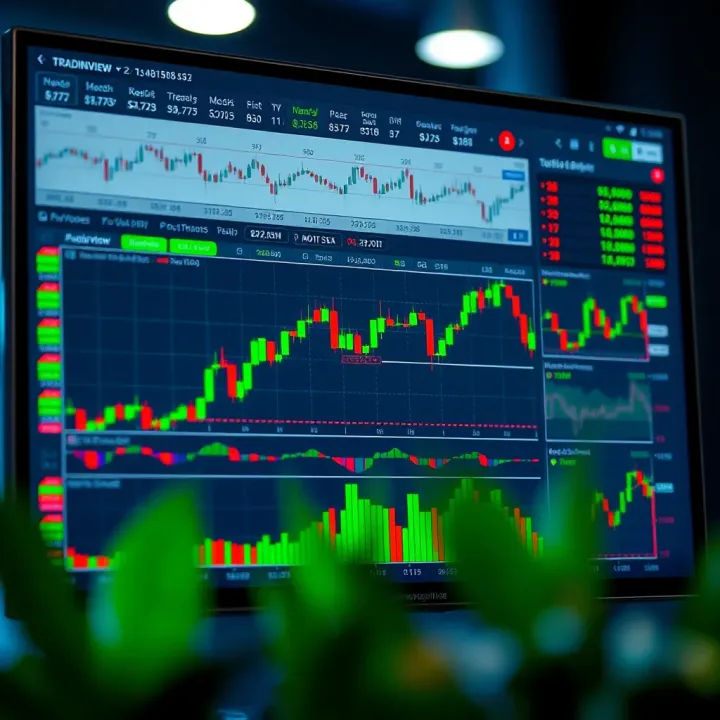
Explore TradingView’s features, tools, and chart customization to boost trading success in Pakistan 📈. Learn how to set up accounts and analyze markets effectively!
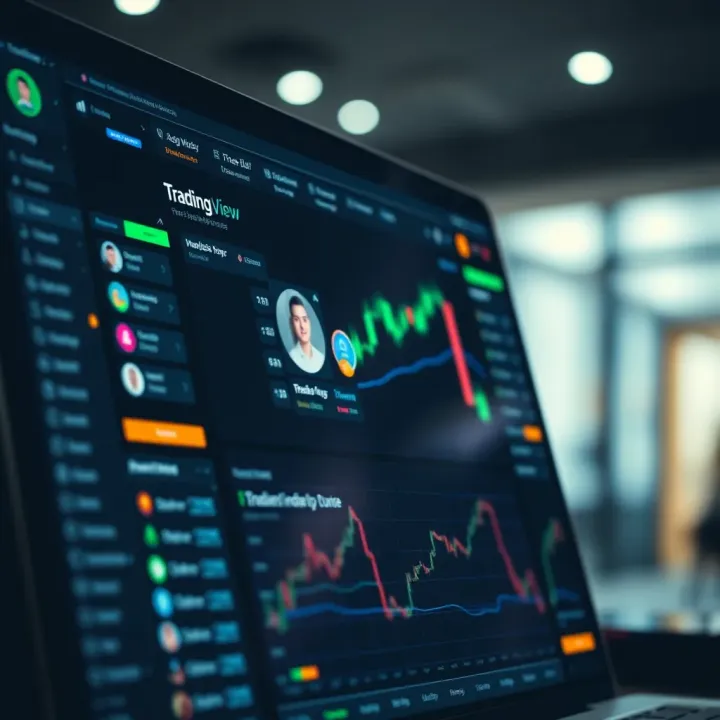
Explore TradingView.com in Pakistan 🇵🇰: Learn key features, chart tools, broker integration, social community & subscription tips for smarter trading 📈💡
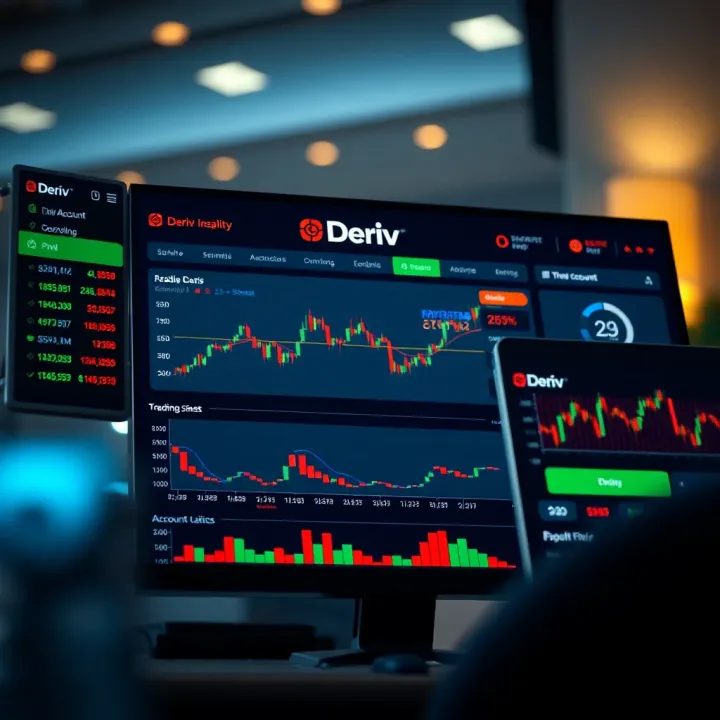
Explore how TradingView charts integrate with Deriv for smarter trading in Pakistan 🇵🇰. Get setup tips, risk management advice, and boost your strategy 📊💡.
Based on 6 reviews