
Using TradingView with Binary.com for Better Trading
📊 Learn how to use TradingView with Binary.com to boost your binary options trading in Pakistan. Step-by-step setup, strategies, and tips included!
Edited By
Charlotte Greene
TradingView has become a go-to platform for traders and investors around the world, including those in Pakistan, seeking to make informed market decisions. Whether you're tracking stocks on the Pakistan Stock Exchange or following global forex movements, TradingView’s tools offer a practical way to visualize data and execute strategies efficiently.
In this guide, we’ll take a close look at how TradingView’s features can boost your trading game. From customizing charts and applying technical indicators to tapping into community-shared ideas and linking your broker account, the insights here focus on what really matters in everyday trading scenarios.
For anyone aiming to move beyond guesswork and make smarter calls in the market, understanding these features can be a real game-changer. No fluff, no jargon – just straightforward advice and workable tips tailored for the trading community in Pakistan and beyond.
Good tools don’t guarantee success, but without them, you’re flying blind. TradingView helps you see the road ahead clearly.
TradingView has become nearly indispensable for traders worldwide—and that includes Pakistan’s growing community of market enthusiasts. At its core, TradingView is a charting platform that helps you visualize price movements clearly, but it’s so much more than that. For anyone serious about reading the markets, it's a tool that combines data, community ideas, and customizable tools all in one place.
One of the key practical benefits of TradingView is how it allows traders to make sense of complex data. For instance, picture a forex trader learning how the USD/PKR pair behaves after central bank announcements. TradingView’s charts provide not just price data but technical indicators, drawing tools, and the ability to compare different timeframes side-by-side. This kind of visual clarity can make the difference between a good trade and a guess.
Moreover, beyond just charting, its role in trading extends to fostering community insight. Traders can share real-time ideas, debate market directions, and test hypotheses with peers. This social aspect often fills the gap where textbooks leave off—with actual actionable insights from real traders who have walked the same roads.
Keep in mind: TradingView isn’t magic; it’s a powerful aid that requires your analysis. But getting familiar with its basics early on sets a strong foundation for smarter decisions.
TradingView stands out because it’s browser-based, which means no heavy downloads or constant updates — just quick, easy access anywhere. Beyond convenience, it offers an intuitive interface that adapts whether you’re on a desktop or mobile device.
Its charting features cover everything from candlestick and bar charts to less common ones like Renko or Kagi. You get to play with various timeframes—from seconds to months—making it flexible whether you’re day trading or planning long-term investments.
It also includes drawing tools and annotations, allowing traders to mark support/resistance, trendlines, or even add personal notes directly on charts. These little details can help keep your thought process organized when analyzing complex market moves.
One reason traders flock to TradingView is how it blends powerful technical analysis tools with accessibility. Unlike bulky professional software often reserved for institutions, TradingView’s feature-rich platform is approachable without compromising depth.
For example, technical indicators like RSI, MACD, Moving Averages, and Bollinger Bands come preloaded and ready to apply with just a click. But if you’re feeling creative, its Pine Script language lets you build custom indicators tailored exactly to your strategy.
Another strong point is the platform’s real-time data feeds for multiple asset classes—stocks, forex, commodities, and crypto. This universality means you don’t constantly switch platforms when diversifying, streamlining your workflow.
For Pakistani traders, a major question is how well TradingView fits with the local ecosystem. Fortunately, TradingView offers access to key international markets that Pakistani traders commonly monitor—like NASDAQ, NYSE, and Forex pairs involving the Pakistani Rupee.
While local exchanges like PSX may not be fully integrated with the same real-time data as bigger markets, TradingView still allows for manual data uploads and custom charting. Many traders use these features to track local stocks alongside global ones.
Additionally, TradingView’s web-based structure means it works well even on modest internet connections typical in Pakistan. And their mobile app keeps traders connected on the go—whether in Karachi’s financial hubs or rural areas.
In summary, TradingView balances powerful features with accessibility, making it not just an international platform but a practical choice for Pakistani traders looking to step up their game.
TradingView packs a punch when it comes to giving traders the tools they really need. Whether you’re a beginner or a seasoned pro, the platform’s features aim to simplify and sharpen your market analysis. This section digs into the most impactful elements that make TradingView a go-to solution in the trading world.
Charts are the bread and butter of market analysis, and TradingView makes them highly accessible.
Drawing tools and annotations are a standout feature. Imagine you spot a potential breakout on the daily chart of the KSE-100 index. Being able to quickly draw trendlines, horizontal supports, or add text notes right on the chart helps lock in your observations. For instance, you can highlight a rising wedge pattern with a few clicks or circle key price points. This visual aid acts like your trading diary, allowing you to track setups and revisit them later without forgetting those subtle clues.
Multiple chart layouts add to the convenience. Say you want to monitor both the PSX main board and the US tech stocks side by side — TradingView lets you split your screen and view multiple tickers at once. You can keep an eye on different timeframes or markets across tabs or a tiled view. This flexibility means you won’t miss the forest for the trees, especially during volatile sessions when quick reactions matter.
Indicators give you a second set of eyes on price action, translating raw data into meaningful signals.
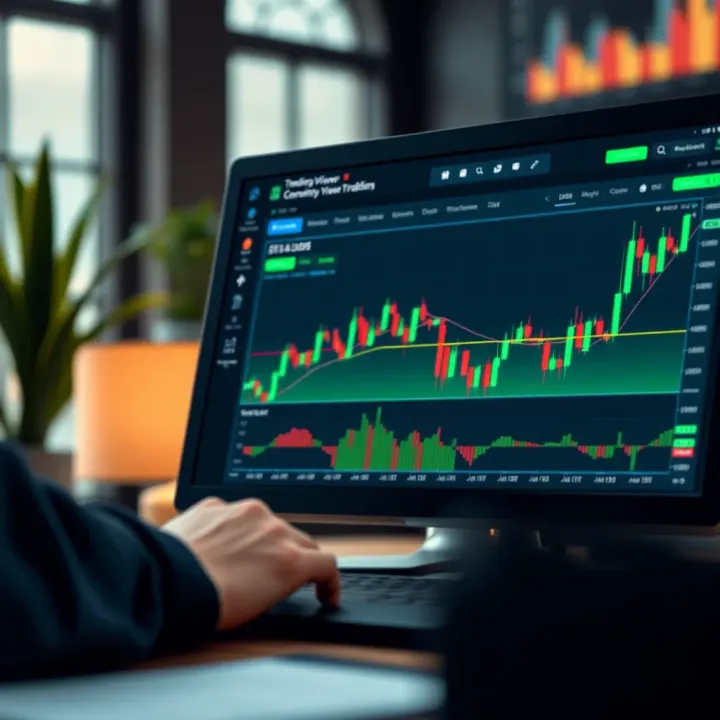
Popular indicators and how to apply them are readily available on TradingView. The Relative Strength Index (RSI), Moving Averages (MA), and Bollinger Bands are some crowd favorites. For example, if you’re watching the USD/PKR forex pair, setting a 14-day RSI helps identify overbought or oversold conditions, guiding when to enter or exit trades. The platform lets you tweak parameters on the fly, so you’re not stuck with one-size-fits-all settings.
Using custom scripts and indicators takes this further. Traders who dabble in Pine Script—TradingView’s scripting language—can create tailored indicators that suit specific strategies. For instance, a local trader might code an alert that triggers when the PSX closes above its 50-day moving average only on high volume days, something a standard indicator won’t catch. This customization can give you a neat edge, as it reflects your unique trading style rather than generic formulas.
Staying organized is half the battle in trading, and TradingView helps keep your focus razor-sharp.
Creating and managing watchlists is straightforward. You can group stocks, forex pairs, and cryptocurrencies that matter to you, like keeping separate lists for blue-chips, small caps, or commodities. Consider you want quick access to Pakistani banks and fertilizers; simply label the watchlist accordingly and switch between them effortlessly. This saves time and prevents missing timely moves.
Setting practical alerts based on market conditions is another critical feature. Say your favorite stock triggers a breakout above a resistance level with strong volume; you don't want to be glued to the screen waiting for that moment. TradingView lets you set alerts on price levels, indicator values, or even custom Pine Script conditions. These alerts can be sent via app notifications, email, or even SMS. This way, you get the heads-up exactly when your predefined trade setups occur, reducing guesswork and helping you act promptly.
Smart use of charting tools, indicators, and alerts are the backbone of efficient trading — TradingView delivers them intuitively in one place.
In short, getting familiar with these key features arms traders with practical ways to analyze, organize, and act on market data. You’ll find it especially handy for Pakistani markets, where having quick yet detailed access makes a real difference in spotting opportunities or avoiding pitfalls.
TradingView isn’t just a one-trick pony; it offers tools tailored for a wide range of markets — stocks, forex, cryptocurrencies, commodities, and indices. Being able to switch between these market types with the same platform brings huge advantages to traders who want to diversify or quickly compare different assets. Let’s break down how TradingView helps in analyzing each of these markets.
Stocks get a lot of spotlight on TradingView, and for good reason. You can track price movements with candlestick charts, see company fundamentals, and apply popular indicators such as Moving Averages, RSI, or MACD right out of the box. For example, Pakistani traders might be interested in companies listed on the Pakistan Stock Exchange (PSX). TradingView provides tools to see historical price trends, volume spikes, and compare sector performance. It also helps in identifying breakout points or support and resistance levels without needing complicated setups.
The ability to create watchlists for favorite stocks and receive timely alerts when a particular price target or indicator condition is met means you won’t miss sudden market moves. This feature is valuable for traders who want to catch earnings season opportunities or react to news.
Forex trading demands speed and precision. TradingView supports a wide variety of currency pairs, including major ones like USD/PKR or EUR/USD. The platform displays live tick data and lets users apply both simple and advanced technical studies that help predict currency movements influenced by geopolitical events or economic reports.
What’s neat is you can overlay multiple charts to compare different currency pairs side-by-side or track how commodities such as oil impact currencies like the Canadian dollar. Traders can also spot patterns such as the classic Head and Shoulders or Double Tops easily and use built-in tools to measure potential profit targets.
Cryptos are notoriously volatile, and TradingView offers access to all major coins including Bitcoin, Ethereum, and new altcoins. Many crypto traders rely on custom scripts and the community’s publicly shared strategies to navigate the choppy waters.
Using TradingView, you can watch coins cross exchanges in real time, spot volume surges, and use indicators like Bollinger Bands to gauge volatility breaks. It’s also handy for tracking arbitrage opportunities or comparing the performance of various cryptocurrencies against each other.
Due to 24/7 trading with cryptos, alert features notify users around the clock when markets hit key levels or when new trends develop.
Commodity traders can track everything from gold and oil to agricultural products. TradingView charts allow easy visualization of futures and spot prices, which is crucial when managing risk tied to global supply issues or price shocks.
Indices, such as the S&P 500 or the KSE 100, are also well-covered on TradingView. These give a feel of overall market health. Pakistani traders might be particularly interested in indices like the KSE 100 to monitor how local economic factors influence overall market sentiment.
For commodities and indices, combining volume data and momentum indicators can reveal entry and exit points effectively. For instance, a drop in oil prices could signal a potential rise in related stocks or currencies, and TradingView’s multi-chart layout helps visualize these relationships clearly.
TradingView’s strength lies in its flexibility to handle diverse market types, all within a single platform. This means traders in Pakistan and worldwide can switch gears smoothly between stocks, forex, crypto, and commodities without missing a beat.
Use stock charts for trend and sector analysis on exchanges like PSX
Analyze currency pairs with precise indicators and compare correlations
Leverage crypto tools for high volatility situations and arbitrage spotting
Track commodities and indices with futures data and momentum setups
By tapping into TradingView’s market-specific features, traders make smarter, faster decisions tailored to each asset class’s unique behavior.
One of the biggest advantages of TradingView isn’t just its charts or indicators—it's the active community of traders sharing ideas and analysis. Tapping into this pool of collective wisdom can give you fresh perspectives and potentially spot opportunities you might miss working alone. Whether you're a newbie or a seasoned trader, leveraging community insights helps you stay grounded and make smarter decisions.
TradingView’s platform hosts thousands of trading ideas daily, but not every one fits your style or market focus. To find relevant ideas, start by using the filtering options. You can sort ideas by market type, like stocks, forex, or crypto, which helps narrow down noise. Also, consider filtering by performance metrics such as those with high likes or comments, which often signals better quality. For example, if you're tracking the Pakistan Stock Exchange, look specifically for tags or symbols related to companies like Pakistan Petroleum Limited (PPL) or Habib Bank Limited (HBL).
Another tip is to search for ideas using specific timeframes and strategies you use, like swing trading or day trading. This narrows down ideas to those that complement your approach. Don't hesitate to save a few ideas to your watchlist or take notes on setups that catch your eye for later review.
Not all published ideas are equally solid, so a critical eye is essential. Start by checking the trader’s profile for their background and track record—it speaks volumes. Traders with a consistent posting history and positive feedback tend to be more reliable. Next, read through the comments; other community members often flag questionable ideas or add useful context.
Look closely at the evidence backing the idea. Are technical indicators appropriately applied? Does the chart annotation make sense? Ideas that are well-explained with clear reasoning generally hold more weight. For instance, an idea supported by confirmed support and resistance levels or well-identified patterns like a “head and shoulders” is more trustworthy than one with none.
Always consider published ideas as starting points for your own research, not gospel. Use them to spark your analysis rather than following blindly.
TradingView offers chat rooms and discussion threads where traders actively exchange thoughts. Jumping into these conversations can open up new viewpoints that textbooks or solo study can’t provide. When you ask questions or share your trading rationale, you engage in real-time problem solving with diverse traders worldwide, including many from Pakistan.
Make sure to keep your contributions clear and to the point. For example, asking something like, "What’s your take on HBL’s recent price drop based on RSI signals?" invites specific responses and valuable exchanges. This back-and-forth provides insight into different analysis styles, helping you refine your own.
A straightforward way to gain ongoing insight is by following seasoned traders who regularly publish thoughtful analysis. On TradingView, you can follow profiles and receive notifications when they post new ideas. Look for traders with verified credentials or proven success in markets similar to yours.
Following someone like a forex specialist focusing on USD/PKR, or a local stock market analyst who understands the nuances of Pakistani equities, keeps you tuned into relevant and practical information. You don’t need to mimic their trades exactly but observing how they interpret charts and manage risk can greatly improve your skillset.
Remember, the strength of TradingView’s community lies in diversity. Absorb different styles but keep your own strategy clear and consistent.
Leveraging the community within TradingView is a resourceful way to keep your trading game sharp. By exploring and evaluating ideas carefully, jumping into discussions, and following experienced peers, you gain layers of insight you won’t find in solitary analysis. It’s about blending collective wisdom with your own judgment to make much smarter market decisions.
TradingView packs a punch partly because it lets traders tailor the workspace to their own needs. Customizing your TradingView experience isn't just about making charts look pretty; it’s about optimizing your workflow so you can spot opportunities faster and avoid clutter. This section digs into how personalizing chart layouts, themes, and using Pine Script can transform the platform from just another charting tool into a finely tuned trading cockpit.
One of the first things you’ll notice on TradingView is the flexibility around chart layouts. Instead of juggling multiple tabs or screens, you can set up multiple charts on a single page—say, comparing the Pakistan Stock Exchange index alongside USD/PKR forex rates and some crypto coins. This side-by-side view helps you catch correlations or divergences quickly without flipping through different windows.
Themes are another subtle but powerful feature. Their importance often gets overlooked. A dark theme might save your eyes during those late-night market sessions, whereas a light theme can make numbers pop in daylight. Traders often switch themes depending on the environment to reduce strain and improve focus. Besides aesthetics, a clean, distraction-free background with contrasting trend lines and indicators lets you interpret signals faster and with less chance of error.
Custom layouts also mean you can save multiple presets—for example, one layout could be all about technical indicators for short-term trading, while another might focus on fundamental data or news feeds. Having these handy and switching between them quickly helps you react smarter, not harder.
Pine Script is TradingView’s proprietary coding language, designed specifically for traders who want to build custom indicators, strategies, and alerts beyond what’s available out of the box. It’s relatively simple compared to other programming languages, making it accessible to people even with modest coding experience. Think of Pine Script as your personal toolbox to craft an indicator tailored exactly to your trading style.
Why bother learning Pine Script? Because no two traders are the same. If you find the usual RSI or MACD indicators don’t quite fit your system, or you want alerts based on a unique combination of conditions, Pine Script is your answer. By automating alerts for buy or sell signals, it frees you from staring at charts all day.
To give you a practical sense, imagine you want an indicator that alerts you when a currency pair like USD/PKR crosses above a moving average but only if trading volume is above a certain threshold. You could write a Pine Script that checks these two conditions and sends an alert right to your phone.
Another example is creating a custom heatmap for sectors in the Pakistan Stock Exchange. One script could color code sectors based on daily momentum, helping you quickly spot the hottest areas without digging through individual charts.
Here’s a very simple example of Pine Script code for a moving average crossover alert:
pine //@version=5 indicator("Simple MA Crossover Alert", overlay=true) fastMA = ta.sma(close, 10) slowMA = ta.sma(close, 30) plot(fastMA, color=color.blue) plot(slowMA, color=color.red) longCondition = ta.crossover(fastMA, slowMA) if (longCondition) alert("MA Crossover detected!", alert.freq_once_per_bar_close)
This script plots two moving averages and triggers an alert when the short-term moving average crosses above the long-term one. Traders can easily adapt this to other assets or timeframes, tailoring it to personal strategies.

> Customizing your workspace and scripts on TradingView isn't a luxury—it's how you carve out your edge in a crowded market.

In sum, by personalizing your layout and learning Pine Script basics, you step beyond being a passive chart viewer. Instead, you become an active participant, customizing TradingView to your rhythm and strategy. This approach not only saves time but can improve the quality of your trading decisions significantly, making your experience with TradingView far more productive and rewarding.

## Integrating TradingView with Brokers and Trading Platforms

Integrating TradingView with brokers and trading platforms brings a whole new level of efficiency and accuracy to market decision-making. Instead of switching back and forth between charting tools and broker interfaces, traders can manage their trades directly from TradingView’s interface. For Pakistani traders juggling volatile forex or stock markets, this kind of integration saves time and cuts down the risk of errors due to manual order entry.

Beyond convenience, this connection allows users to place orders almost instantaneously while keeping an eye on real-time chart movements, seamlessly linking analysis with execution. However, before diving in, it’s important to understand which brokers are supported and what kind of features are enabled by this integration.

### Connecting TradingView to Brokers for Direct Trading

#### Supported Brokers

TradingView works with a growing list of brokers, but not all are available everywhere. Some widely supported brokers include **OANDA**, **Interactive Brokers**, **FOREX.com**, **Alpaca**, and **Tradestation**. For traders based in Pakistan, local broker integration is a bit limited, so many rely on international brokers like OANDA or Interactive Brokers that provide access to global markets.

What matters is to verify whether your broker supports TradingView’s connection feature. This typically involves API compatibility where TradingView can place trades on your behalf through the broker’s platform. It’s a good practice to check the broker’s official site or TradingView’s broker list for the latest info.

#### Placing Orders Through TradingView

Once connected, placing an order directly from TradingView is straightforward. The platform offers an order panel right alongside your charts where you can specify:

- Order type (market, limit, stop-loss)
- Amount or number of shares/units
- Price targets and stop losses

For example, imagine you spot a bullish breakout on the USD/PKR pair and want to enter immediately. Without switching screens, you select the trade size and place a limit order within seconds. This reduces delay and slippage, which can be the difference between a winning and losing trade.

Additionally, you can monitor your open positions and modify or close trades in real time, all inside TradingView. Having this control integrated with your technical analysis tools means you react faster to sudden market moves.

### Benefits of Integration in Real-Time Trading

Integrating real-time trading with TradingView comes with clear benefits:

- **Faster Execution:** Orders can be placed and adjusted instantly without leaving the chart view, crucial in fast-moving markets.
- **Centralized Management:** View your portfolio, track orders, and monitor performance in one place.
- **Reduced Error Rate:** Manual order entry errors drop because you’re working from the same platform where the analysis was done.
- **Improved Decision Making:** Immediate execution close to analysis moments helps traders capitalize on setups before market conditions change.

For example, a Pakistani trader monitoring the KSE 100 index can react to sudden news or technical signals without fumbling between different apps. This streamline enhances the potential for capturing profitable opportunities while managing risks neatly.

> Real-time integration is more than a convenience—it's a critical tool for traders who need to act swiftly and precisely in dynamic markets.


## Mobile and Desktop Use of TradingView

In today's fast-paced trading world, access to real-time market data anytime, anywhere is no longer a luxury but a necessity. TradingView caters to this need by offering both mobile and desktop platforms, each designed to suit different trading styles and preferences. While the desktop version is ideal for deep analysis with multiple monitors, the mobile app keeps traders connected when on the move, especially relevant for markets like Pakistan where flexibility can be crucial.

### Features Available on Mobile App

TradingView's mobile app is packed with features that don't compromise much compared to the desktop version, making it great for quick checks or urgent trade setups. The app offers live charts with over 100 technical indicators, allowing users to draw trendlines, add Fibonacci retracements, and even view multiple chart layouts.

One handy feature is the push notifications for alerts set directly from the app — a lifesaver for traders who can't be glued to a screen all day. For example, a forex trader tracking USD/PKR can get instant alerts if the pair breaches a certain level, allowing swift decision-making.

The mobile interface focuses heavily on usability; menus are streamlined and customizable watchlists make switching between different stocks or currencies faster. Also, integration with social features lets traders quickly browse or share ideas without jumping to another device.

### Differences Between Desktop and Web Versions

While TradingView's desktop (installed) version and web version share many core features, there are subtle yet meaningful differences that affect trading workflows.

The desktop app tends to perform smoother under heavy workloads — say, running several charts simultaneously with numerous indicators. It also supports hotkeys for faster navigation, which day traders find quite handy to save precious seconds. Performance is generally more stable because it's not entirely dependent on browser performance or internet fluctuations.

On the other hand, the web version offers accessibility without installation hassles. A trader can log in from any computer in a cyber cafe or office in Karachi and find all their charts and ideas saved. However, it occasionally feels a bit slower, especially with slow internet connections common in some parts of Pakistan.

Both versions allow broker integration for direct trading, but the desktop version often supports a wider range of brokers and platforms, making it a better choice for more serious traders.

> Using both mobile and desktop versions of TradingView allows traders to build a flexible trading routine, balancing detailed analysis at a desk with quick decisions on the go.

In sum, whether you prefer the convenience of mobile alerts while commuting or the power of multi-screen analysis on desktop, TradingView covers the bases well. Pakistani traders can especially benefit by mixing both platforms to suit their daily routine, ensuring they never miss a market move while juggling work or travel.

## Cost Options and Upgrading TradingView Plans

For traders, especially those navigating the fast-moving markets in Pakistan and around the globe, understanding the cost options on TradingView can save both time and money. It’s not just about finding the cheapest plan but what fits your trading style best. Whether you’re a casual observer or a full-time trader, choosing the right plan affects the tools you can access, how many charts you can view at once, and how many alerts you can set up.

### Free Version Limitations and Benefits

The free version of TradingView is a solid starting point for beginners or part-time traders. It offers basic charting tools and three indicators per chart, which might suit someone just getting their feet wet in technical analysis. However, the free plan has its limits — like only one saved chart layout, one alert at a time, and ads displayed during use.

For example, a trader using the free plan might find it cumbersome to track multiple stocks or forex pairs simultaneously due to these restrictions. Still, it gives access to real-time data on many global markets, which is more than enough to test strategies without any upfront investment.

> The free version is a great testing ground but expect to hit a ceiling quickly if you start demanding more data and customization.

### Advantages of Paid Subscriptions

#### Additional features in Pro and Premium plans

Stepping up to the Pro and Premium plans unleashes a range of advanced features designed to handle the needs of active traders. These include unlimited indicators per chart, several saved chart layouts, multiple watchlists, and much higher alert limits. For instance, the Premium plan lets you set up 400 alerts; this means you won't miss a trading opportunity whether you monitor currency pairs or multiple stock markets.

Another perk is access to intraday data on Forex, easier multi-device synchronization, and faster data updates. If you trade with indicators like Ichimoku Cloud, Bollinger Bands, and RSI all at once, these plans make your workflow much smoother.

#### Cost considerations for Pakistani traders

Cost is a big deal for traders, especially in countries like Pakistan where the USD to PKR exchange rate swings can make subscriptions pricey. The Pro plan costs around $14.95 per month if billed monthly, or a bit less if paid yearly. The Premium plan roughly doubles that.

Paying in foreign currency and adding transaction fees can bump up the cost further. Some traders navigate this by sharing accounts or sticking to the Pro plan, which balances cost and features well. Meanwhile, keeping an eye on offers or promos from TradingView can help snag discounts.

For Pakistani traders, it’s key to weigh if the extra alerts, charts, or indicators on the paid plans will genuinely improve your trading outcomes before upgrading. Many find starting with Pro helps them decide if Premium features are worth the leap.

> Upgrading is more than just paying for features—it’s about boosting your trading edge without breaking the bank.

Choosing your TradingView plan wisely ensures you have the right tools for smarter decisions, whether you’re dabbling in equities or diving deep into crypto markets.

## Practical Tips for Using TradingView Effectively

Using TradingView efficiently is more than just knowing the platform’s features—it’s about creating a system that suits your trading style and helps you stay focused on what matters. When you set up your workflow thoughtfully and avoid common pitfalls, it can save you time and prevent costly mistakes.

### Setting Up Efficient Workflows

#### Organizing charts and indicators

Keeping your trading screen clear and organized can make a huge difference in spotting opportunities quickly. Instead of crowding your charts with every indicator under the sun, pick a few that fit your strategy, like RSI or MACD for momentum, and group them logically. For example, use one chart pane for price action with moving averages and another for oscillators below. This way, you avoid confusion and get a clearer picture.

Try saving chart layouts by asset type or timeframe—say, one layout for daily stock analysis and another for short-term forex trades. TradingView lets you name and save these preset layouts, so switching between setups is just a couple of clicks. It’s like having your trading desk personalized instead of reshuffling everything each time.

#### Efficient use of alerts

Alerts are one of TradingView’s strongest tools, but if misused, they can become noise instead of help. Set alerts based on clear triggers such as crossing specific moving averages or breaking support/resistance levels rather than random price touches. This keeps you from being overwhelmed during volatile periods.

For instance, instead of setting an alert every time the price moves, create conditions in Pine Script if you’re comfortable coding, like alerting when a certain indicator confirms a buy signal. This cuts down false alarms and ensures you act only when your setup is validated.

> Smart use of alerts lets you stay hands-off yet ready, catching moves without staring at the screen all day.

### Avoiding Common Mistakes

#### Overloading charts with indicators

It’s tempting to throw in every indicator you read about in forums, but piling up too many can muddy your analysis. Too many signals can conflict, causing hesitation or impulsive moves based on mixed messages. Stick to a handful of indicators that complement each other.

For example, combining a trend-following indicator like the Moving Average with an oscillator like the Stochastic can provide both direction and momentum clues. That’s often enough to guide entries and exits without feeling overwhelmed.

#### Relying solely on community ideas

TradingView’s community is vibrant, with many shared trading ideas and scripts, but treating these as gospel is risky. Not every published idea suits your trading style, risk tolerance, or market conditions. Use community ideas as a starting point or inspiration—not a final call.

Always backtest or paper trade any new strategy or indicator you find before applying it with real money. Combine your own observations and research alongside community insights to form a well-rounded approach.

> Relying only on others’ calls can be like following someone’s footsteps in sand—paths change quickly, so it’s better to chart your own course.

By setting up your workspace carefully, using alerts wisely, and steering clear of common traps, you make TradingView work for you—not the other way around. These practical touches can turn a powerful tool into a trusted trading companion.

## How Traders in Pakistan Can Benefit from TradingView

TradingView offers numerous advantages specifically for traders in Pakistan, bridging the gap between local market knowledge and global financial trends. Given the limited access many Pakistani traders have to international platforms and real-time data, TradingView’s comprehensive charting and analysis tools bring a huge edge by providing access to a broad scope of markets right at their fingertips.

### Accessing Global Market Data Easily

One major benefit for Pakistani traders is the easy access TradingView provides to global market data. Instead of juggling multiple platforms or facing delays through local brokers, traders can instantly track stocks, forex, commodities, and cryptocurrencies from the US, Europe, Asia, and beyond. For instance, a Karachi-based trader interested in Apple or Tesla shares can view live price movements and historical charts, alongside market news, all in one place.

The platform’s compatibility with local internet conditions is an added plus. It manages real-time price updates efficiently, even on moderate connections, ensuring no crucial moments are missed. Plus, TradingView’s integration of various exchange data sources means users can see market trends and reacting factors like economic events happening worldwide, which are often influential on Pakistan’s own stock exchange (PSX).

### Community Support within Local Trading Circles

Besides data and analysis tools, TradingView fosters a helpful trading community that Pakistani traders can tap into. Many local traders and educators publish ideas, commentaries, and educational content tailored to Pakistan’s market situation. This localized insight can be very valuable, as it reflects challenges and opportunities specific to regional economic, political, or regulatory events.

Joining discussions in TradingView's chat rooms or following popular Pakistani traders lets users learn from peers’ experiences and mistakes. For example, during volatile market phases triggered by domestic news—say, changes in policy by the State Bank of Pakistan—traders can share real-time reactions and strategy tweaks. It’s like having a local mentor network plugged into an international platform.

> Engaging with the local community on TradingView can help Pakistani traders avoid common pitfalls and adapt to local market peculiarities swiftly.

In short, TradingView acts as both a window and a bridge: a window to global market movements and a bridge connecting the local trading crowd within Pakistan. For any trader looking to elevate their game without incurring expensive tools or relying solely on hearsay, it’s a practical, affordable choice packed with relevant features.📊 Learn how to use TradingView with Binary.com to boost your binary options trading in Pakistan. Step-by-step setup, strategies, and tips included!
Boost your trading skills in Pakistan 🇵🇰 with tips on using TradingView charts and Binary.com tools together for sharper, smarter trading decisions 📈💡.
📈 Learn how to connect TradingView’s charts with Binary.com to boost your binary options trading strategies in Pakistan. Manage risks smartly and trade wisely! 💡
📈 Master TradingView for binary options trading with tips on charts, indicators & strategies. Overcome challenges & boost your trading success today!
Based on 13 reviews